START WITH:
php and getcomposer Continue reading Laravel on IIS
Category: Development
The Joel Test
bron: click here.
The Joel Test: 12 Steps to Better Code
Have you ever heard of SEMA? It’s a fairly esoteric system for measuring how good a software team is. No, wait! Don’t follow that link! It will take you about six years just to understand that stuff. So I’ve come up with my own, highly irresponsible, sloppy test to rate the quality of a software team. The great part about it is that it takes about 3 minutes. With all the time you save, you can go to medical school.
The Joel Test
- Do you use source control?
- Can you make a build in one step?
- Do you make daily builds?
- Do you have a bug database?
- Do you fix bugs before writing new code?
- Do you have an up-to-date schedule?
- Do you have a spec?
- Do programmers have quiet working conditions?
- Do you use the best tools money can buy?
- Do you have testers?
- Do new candidates write code during their interview?
- Do you do hallway usability testing?
Phonegap again
 iOS apps now need to be 64-bit, so 1 old app, created in 2014 and never updated since, needs to be updated… latest version will be Phonegap 7.0.1
So:
change the config.xml to the new compiler-version
upload to Phonegap Build to compile and ERROR Continue reading Phonegap again
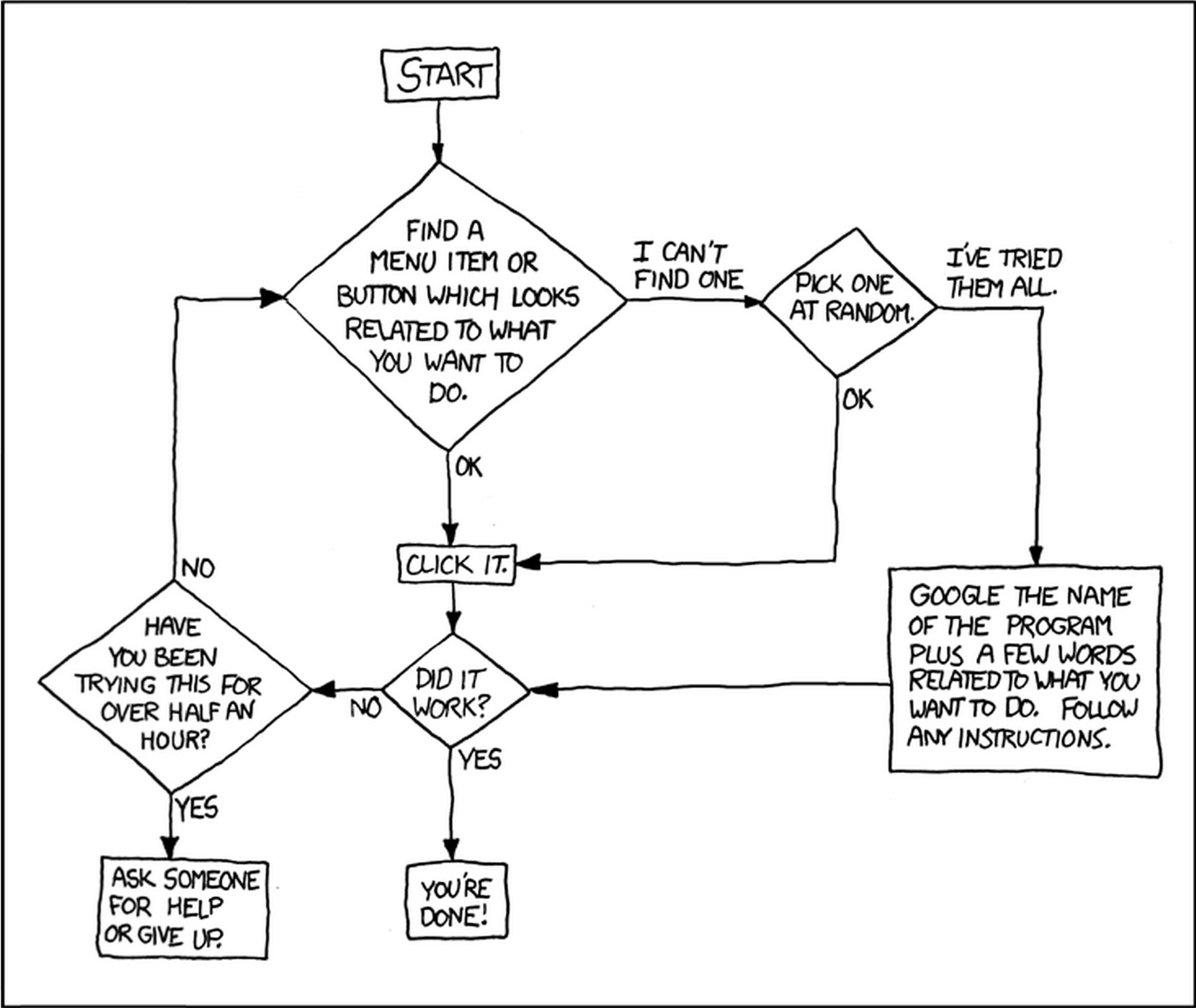
Generic Software Manual
Software Development

Error Creating Window Handle
 It starts with “Can not create Window Handle”… and continuous random crashes. You find out your app reaches the max of 10000 user objects. (Just check the task manager, you’ll see I’m right.)
So, you’ve been using your own usercontrols on a flowlayoutpanel; you add, you remove, you clear… however the user objects count keeps growing and something is leaking somewhere…
You find that .controls.clear() does not work, you have to dispose() of all the objects first. Okay, do that, but it still doesn’t work.
So what’s the trick?
Simply remove first, before the dispose, and do this one at a time.
Just use the following routine:
ClearFlowLayoutPanel(myFlowLayoutPanel)
instead of
myFlowLayoutPanel.Controls.Clear()
Public Sub ClearFlowLayoutPanel(cFlowLayoutPanel As FlowLayoutPanel)
 Do While (cFlowLayoutPanel.Controls.Count > 0)
  Using controltoremove = cFlowLayoutPanel.Controls(0)
   cFlowLayoutPanel.Controls.Remove(controltoremove)
   controltoremove.Dispose()
  End Using
 Loop
 GC.Collect()
 GC.WaitForPendingFinalizers()
 cFlowLayoutPanel.Controls.Clear()
End Sub
Good Luck! …or ask My Brain.
sources or more info:
https://blogs.technet.microsoft.com/markrussinovich/2010/02/24/pushing-the-limits-of-windows-user-and-gdi-objects-part-1/
http://stackoverflow.com/questions/1378668/clearing-controls-from-flowlayoutpanel-not-calling-destructors/